
Secret Dating App Icons: The 2026 Guide to Digital Camouflage
Edgar Bueno Depolito
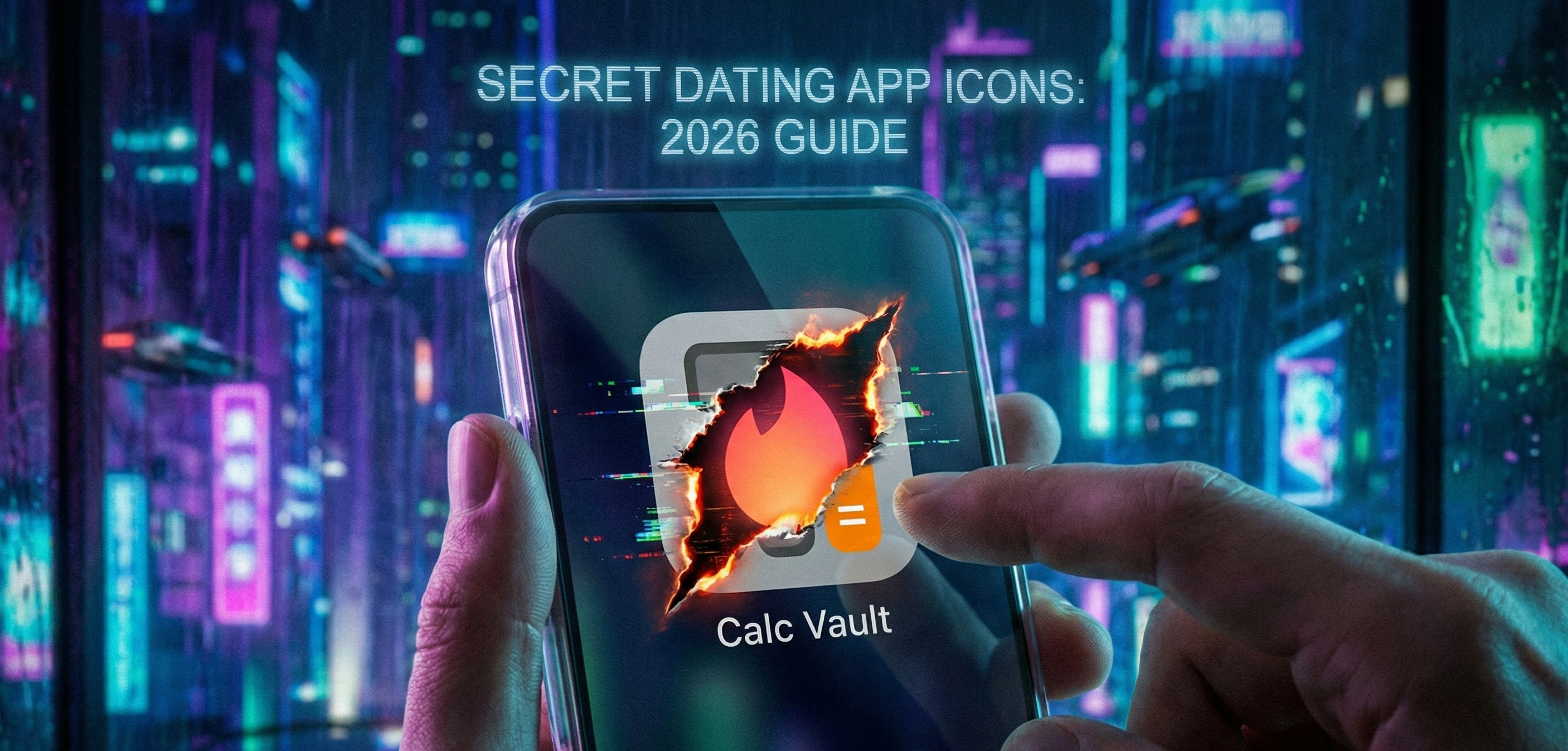
Part 1: The "Lazy" Hiding (Native OS Features)
🕵️♂️ THE SCENARIO: You are at dinner. You put your phone on the table, face up. A notification pops up. It’s a flame icon. Your date asks: "What is that?" You panic.
In 2026, privacy is a luxury. Whether you are in a relationship, living with strict parents, or just value your digital solitude, knowing how to manage your app icons is a survival skill.
But be warned: Most people hide their apps incorrectly. They use what we call "The Surface Cleanse." They clean the living room (Home Screen) but shove all the junk into the closet (App Library). Here is how the native hiding features actually work on iOS and Android in 2026.
1. The Rookie Move: "Remove from Home Screen"
This is the most common method used by 90% of men.
- The Method: Long-press the Tinder/Bumble icon -> Click "Remove App" -> Click "Remove from Home Screen."
- The Result: The icon disappears from your main pages. Your phone looks innocent.
- The Problem: The app is still fully visible in the App Library (the last page of your iPhone) and, worse, in Spotlight Search.
The "Search Bar" Betrayal: If someone types "T" into your search bar to find "Twitter" or "TikTok," and "Tinder" pops up as a "Top Hit"... You are busted. The "Surface Cleanse" fails because it assumes the investigator is lazy. In 2026, nobody is that lazy.
2. The Pro Move: iOS Locked Folders & Android Private Space
Recognizing the demand for privacy, both Apple (iOS 18+) and Google (Android 15+) introduced native "Hidden" features. This is the standard for 2026.
On iPhone (Hidden Folder):
- How it works: You long-press the app and select "Require FaceID." Then, you can move it to a "Hidden" folder in the App Library.
- The Security: This folder does not open without a face scan. Even if they have your phone unlocked, they cannot see what is inside the "Hidden" folder.
- The Flaw: The folder itself exists. A partner sees a folder named "Hidden" at the bottom of your library. They can't see what is inside, but they know something is inside. It raises suspicion. "Why do you have 12 hidden apps?"
On Android (Private Space):
- How it works: Android creates a completely separate user profile or "Space" for these apps. It’s like having a second phone inside your phone.
- The Stealth: You can set the "Private Space" to be invisible until you type a specific code into the search bar or use a specific fingerprint (different from your unlock finger).
- The Verdict: Android is currently superior for "Ghosting" because it leaves zero visual footprint.
3. The "Siri Suggestions" Leak
Here is a forensic detail that catches many "Surface Cleansers." Even if you hide the app, your AI assistant (Siri/Google Gemini) learns your habits.
- The Glitch: If you open Tinder every night at 10 PM, your phone might suggest the app in the "Siri Suggestions" widget at 10:01 PM, even if the icon is hidden.
- The Fix: You must go into Settings -> Siri & Search -> Tinder and toggle OFF "Learn from this App" and "Show in Search."
- If you forget this: Your own phone will snitch on you.
Next Up: So, the native features are okay, but they leave traces (like the "Hidden" folder itself). What if you want the app to look like something else entirely? In Part 2, we explore "The Decoy Apps." I will show you how to spot a fake Calculator, why "Flashlight" apps in 2026 are a massive red flag, and the psychology of the "Trojan Horse Icon."
Part 2: The "Decoy" Apps (Calculators, Compass & Shortcuts)
🎭 THE STRATEGY: If hiding the app in a folder is "Defense," then using a Decoy App is "Camouflage."
You don't want the app to disappear. You want it to look like something so boring that nobody would ever click on it. We call this "The Trojan Horse Icon."
In 2026, you don't need to be a hacker to disguise your digital footprint. Here are the most common methods used to mask dating apps, and how to spot them if you are the one looking.
1. The "Fake Calculator" (The Oldest Trick in the Book)
This is the classic "Cheater's App." There are hundreds of apps on the App Store with names like "Calculator#," "Private Photo Vault," or "Secret Calc."
- The Disguise: It looks exactly like a calculator icon. When you open it, it has buttons and does math (2 + 2 = 4).
- The Secret: If you type in a specific passcode (e.g.,
1234+%), the screen flips, and suddenly you are inside a hidden folder containing Tinder, Bumble, Hinge, and secret photos. - The Forensic Flaw:
- The "Double App" Problem: Every phone comes with a native Calculator app that you cannot delete. If a phone has two calculator apps, one of them is a lie.
- The Design: The fake calculators often look slightly "off" compared to the sleek Apple/Google design. They look like iOS 12 relics.
2. The "Shortcuts" Method (The 2026 Pro Move)
This is the most dangerous method on iPhone because it uses Apple’s own operating system to lie. You don't need to download a sketchy vault app. You just use the "Shortcuts" app.
- How it works:
- Open the "Shortcuts" app.
- Create a new shortcut: "Open App" -> Select "Tinder."
- Tap "Add to Home Screen."
- The Magic: You can rename it to anything (e.g., "Compass," "Tips," "Settings") and upload a custom icon image.
- The Result: You have an icon on your home screen that looks exactly like the "Weather" app. But when you tap it, Tinder opens.
- How to Spot It:
- The Delay: When you click a Shortcut, there is often a tiny lag or a "banner" notification at the top of the screen saying "Running Shortcut" before the app opens.
- The Duplicate: Does he have two Weather apps? Or a "Settings" gear icon that looks slightly pixelated?
3. The "Utility" Ghost (Flashlights & Audio Managers)
In the early days of Android, people used apps called "Flashlight" to hide secrets. In 2026, this is a massive red flag.
- The Logic: Modern phones have flashlights built into the Control Center. Nobody downloads a dedicated Flashlight app anymore unless they are 80 years old... or hiding something.
- The New Meta: The new wave of decoy apps pretend to be:
- "Audio Manager": Looks like volume controls. Long-press the volume up button to unlock.
- "Currency Converter": Boring enough to ignore, functional enough to pass a quick glance.
- "Radio Tuner": Who listens to FM radio? Exactly. Nobody clicks it.
4. Custom Icon Packs (Android Launchers)
On Android (using launchers like Nova or Niagara), you can simply edit any app icon.
- The Edit: You can long-press Tinder, select "Edit," and change the icon to the Gmail logo and rename it "Work Email."
- The Danger: This is the hardest to detect visually.
- The "Notification" betrayal: Imagine the "Work Email" app gets a notification that says "You have a new match!". The camouflage fails instantly if you forget to turn off notifications for that specific app.
Next Up: You know how they hide. Now, let's learn how to find them. You can fake an icon, but you cannot fake the energy consumption of the processor. In Part 3, we will conduct a "Forensic Audit." I will teach you about "The Battery Betrayal" and how Screen Time logs reveal the truth even if the app is invisible.
Part 3: The Forensic Audit (The "Battery Betrayal")
🕵️♂️ THE INVESTIGATOR'S MINDSET: You can hide an icon. You can rename a folder. You can even change the logo. But you cannot change the laws of physics.
Dating apps are power-hungry. They use GPS, high-brightness screens, and constant background data refreshment. If you suspect something is hidden, stop looking at the icons. Look at the logs.
In 2026, the operating system (iOS or Android) is a snitch. It records everything to optimize performance. Here is how to read the digital breadcrumbs.
1. The "Battery Betrayal" (Energy Don't Lie)
This is the single most reliable way to spot a decoy app. A real calculator app uses 0.1% of your battery per day. A "Calculator Vault" running Tinder inside it uses 15%–20%.
The Audit:
- Go to Settings -> Battery.
- Wait for the list to load the "Last 24 Hours" or "Last 10 Days" usage.
- Look for anomalies:
- Is there a "Calculator," "Flashlight," or "Compass" app near the top of the list?
- Does it say "Background Activity" is high?
- Verdict: If a utility app is consuming more power than Instagram, it is not a utility app. It is a vault.
2. The "Screen Time" Leak (Category Mismatch)
Apple and Google automatically categorize apps based on their real function, not their icon. Even if you rename Tinder to "Docs," the system knows it is a "Social" or "Lifestyle" app.
The Audit:
- Go to Settings -> Screen Time (iOS) / Digital Wellbeing (Android).
- Tap on "See All Activity."
- The Category Test:
- Look at the "Social" category bar. If it is huge (4 hours), but the only visible social apps are Facebook (used for 10 mins) and LinkedIn... where are the missing 3 hours and 50 minutes coming from?
- Scroll down to the "Most Used" list.
- Sometimes, poorly coded vault apps will show up here with their real bundle ID name (e.g.,
com.tinderinstead of "Calculator") if the OS glitched.
3. The App Store "Cloud" Trail (The Ghost of Downloads Past)
You can delete an app from your home screen, but you cannot easily delete the fact that you owned it. The App Store has a perfect memory.
The Audit:
- Open the App Store (iOS) or Google Play Store.
- Tap the Profile Icon -> Apps (or "My Apps & Games").
- Go to "My Purchases" (or "Manage -> Not Installed").
- Search: Type "Tinder," "Bumble," or "Hinge."
- "GET" Button: They have never downloaded it with this account. (Safe).
- "Cloud" Icon (⬇️☁️): They have downloaded it before, but it is currently deleted. (Suspicious if recent).
- "OPEN" Button: It is currently installed on the phone, hidden somewhere deep. (Busted).
4. The "Notification History" (Android's Secret Weapon)
This is specific to Android users (Samsung, Pixel, etc.). Many cheaters are fast. They see a Tinder notification and swipe it away in 0.5 seconds. But Android keeps a log.
The Audit:
- Go to Settings -> Notifications -> Notification History.
- Turn it on (if it isn't already).
- The Log: This screen shows every single notification received in the last 24 hours, even the ones that were dismissed instantly.
- You might find a notification from "System UI" or a weird app name that says "Someone liked you!" or "New Message".
- This log is the "Black Box" of the phone.
Next Up: The "Surface Cleanse" failed. The "Decoy Apps" failed the battery test. So, what does a true professional do? They don't use apps at all. In Part 4, we explore "The Ghost Login." I will explain why the browser (Safari/Chrome) is the final frontier of hiding, and how "PWA" (Progressive Web Apps) allow users to have Tinder without having Tinder.
Part 4: The "Ghost Login" (Browser & PWAs)
👻 THE GHOST PROTOCOL: The smartest cheaters (and the most paranoid privacy advocates) know one rule: "Don't download the app."
An app is a file. A file takes up space. A file leaves a log. A browser tab is a ghost. It exists only while you are looking at it, and vanishes the moment you close it.
In 2026, web technology (React, Vue, WebAssembly) is so advanced that Tinder.com and Bumble.com work almost exactly like the native apps. You can swipe, chat, and match without ever visiting the App Store. Here is how the "Ghost Login" works, and how to detect it.
1. The "Incognito" Strategy (No Trace Left Behind)
This is the most common method because it requires zero technical skill.
- The Method:
- Open Safari, Chrome, or (for the pros) Brave / DuckDuckGo Browser.
- Open a "Private" or "Incognito" tab.
- Go to
tinder.com. - Login via SMS code.
- The Escape: When done, simply close the tab.
- The Result: No history. No cookies. No app icon. The phone looks clean.
2. The Password Manager Leak (The "Lazy" Mistake)
Humans are lazy. We hate typing passwords. Even "Ghost" users make mistakes. The biggest one is clicking "Save Password" on iOS or Chrome.
The Audit:
- Go to Settings -> Passwords (iOS) or Google Password Manager (Android).
- Authenticate with FaceID/Fingerprint.
- Search: Type "Tinder," "Bumble," or "Match."
- The Smoking Gun: If you see
tinder.comin the saved passwords list, they have an active account. It doesn't matter if the app isn't installed. The login credentials prove intent. - Note: Look for "hidden" emails too. If you see a login for
secretguy123@gmail.comthat you didn't know existed, that email is likely the key to the dating profiles.
- The Smoking Gun: If you see
3. The Keyboard Auto-Complete (The Subconscious Snitch)
Your phone's keyboard is constantly learning your typing habits to predict the next word or URL. If someone visits a site frequently (even in private mode, depending on keyboard settings), the dictionary adapts.
The Audit:
- Open a normal browser tab (Safari/Chrome).
- Type one letter: "T".
- Does it suggest:
tiktok.com? (Normal). - Does it suggest:
tinder.comas the "Top Hit"? (Busted).
- Does it suggest:
- Type: "B".
- Does it suggest:
bumble.com? - The Logic: Browsers prioritize your most visited sites. If
tinder.comappears beforetwitter.comortwitch.tv, they are spending a lot of time swiping.
- Does it suggest:
4. Screen Time "Web Usage" (The 2 AM Spike)
If they are using Safari to browse Tinder for 2 hours a night, the battery usage won't show "Tinder." It will show "Safari."
The Audit:
- Go to Screen Time -> See All Activity.
- Look at the "Productivity & Finance" (Browsers) or "Utilities" category.
- The Pattern: Is there a massive spike in Safari usage between 11 PM and 2 AM?
- Unless they are reading Wikipedia articles or working late, heavy browser usage late at night is a strong indicator of "Ghost Login" behavior or adult content consumption.
- You can sometimes tap on "Safari" to see a breakdown of domains (if they forgot to use Private Mode). If it says
tinder.com, the case is closed.
5. The "Verification Code" SMS
Finally, the "Ghost Login" usually requires an SMS code to enter (2FA). Even if they delete the browser history, they often forget to delete the SMS thread.
The Audit:
- Open the Messages app.
- Search: Type "Code," "Verification," "Tinder," or specific shortcodes (like
shortcode 888).- The Evidence: A text message received at 11:45 PM saying "Your Tinder code is 123456. Don't share this."
- If you find this text, and the app isn't on the phone... they are using the browser.
Next Up: You have the full picture. From "Lazy Hiding" to "Decoy Apps" to "Ghost Logins." But here is the uncomfortable question: Why are you reading this? In Part 5, we conclude with the most important part of this guide. Are you the "Sneaky Dater" or the "Paranoid Investigator"? And why MatchGenius believes transparency (and being single) is better than living like a spy.
Part 5: The Verdict (The "Spy vs. Spy" Reality)
⚖️ THE HARD TRUTH: We have just spent 2,000 words teaching you how to hide an app like a CIA agent, and how to audit a phone like a forensic scientist.
But here is the reality check: If you are reading this article, your relationship is already in trouble.
Whether you are the "Hider" (trying to conceal a part of your life) or the "Investigator" (trying to find proof of betrayal), you are stuck in a toxic cycle of "Spy vs. Spy." In 2026, technology has made it easier to cheat, but it has also made it impossible to hide completely. There is always a log. There is always a battery drain. There is always a trace.
To the "Investigator" (The Auditor)
If you are at the point where you are checking your partner's Battery Usage logs at 2 AM to see if "Calculator" is using too much power... you already have your answer.
- You don't trust them.
- And usually, your gut instinct is right.
- Finding the icon won't fix the relationship. It will just confirm what your intuition already told you.
The Advice: Stop playing detective. If the trust is gone, walk away. You deserve peace, not a career in digital forensics.
To the "Hider" (The Camouflage Artist)
Living a double life is exhausting. Deleting apps every time you walk in the door. Clearing browser history. Renaming folders. Panicking every time a notification buzzes. This isn't freedom. It's a cage.
If you need to hide Tinder, you shouldn't be in a relationship. And if you want to be on Tinder, you should be doing it properly—as a single man, with nothing to hide, getting the best possible results.
🚀 Play the Game, Don't Play the Person
At MatchGenius, we build tools for Single Men who want to win at online dating. We don't support cheating. We don't build "Vault Apps." We build Performance Tools.
- Don't Hide: Be single and proud.
- Don't Camouflage: Optimize your profile so you get matches naturally.
- Don't Lie: Use our AI to craft witty openers that actually get replies, so you don't need to be shady to get attention.
The MatchGenius Promise: We help you get more matches, better dates, and higher quality conversations. We do this by analyzing data, improving your photos, and giving you the best lines in the game. No secrets required.
👉 Ready to Date with Confidence (and Without Hiding)? Start Your Free Trial of MatchGenius
- Optimize Your Profile: Stop getting rejected.
- Master the Algorithm: Get seen by high-quality women.
- Date Like a Pro: Leave the "Calculator Vaults" for the amateurs.